10 High-Touch Surfaces to Wipe Between Cleaning Visits
Discover key surfaces to wipe and reduce germs between professional cleaning visits. Prioritize doorknobs, appliance handles, and more.
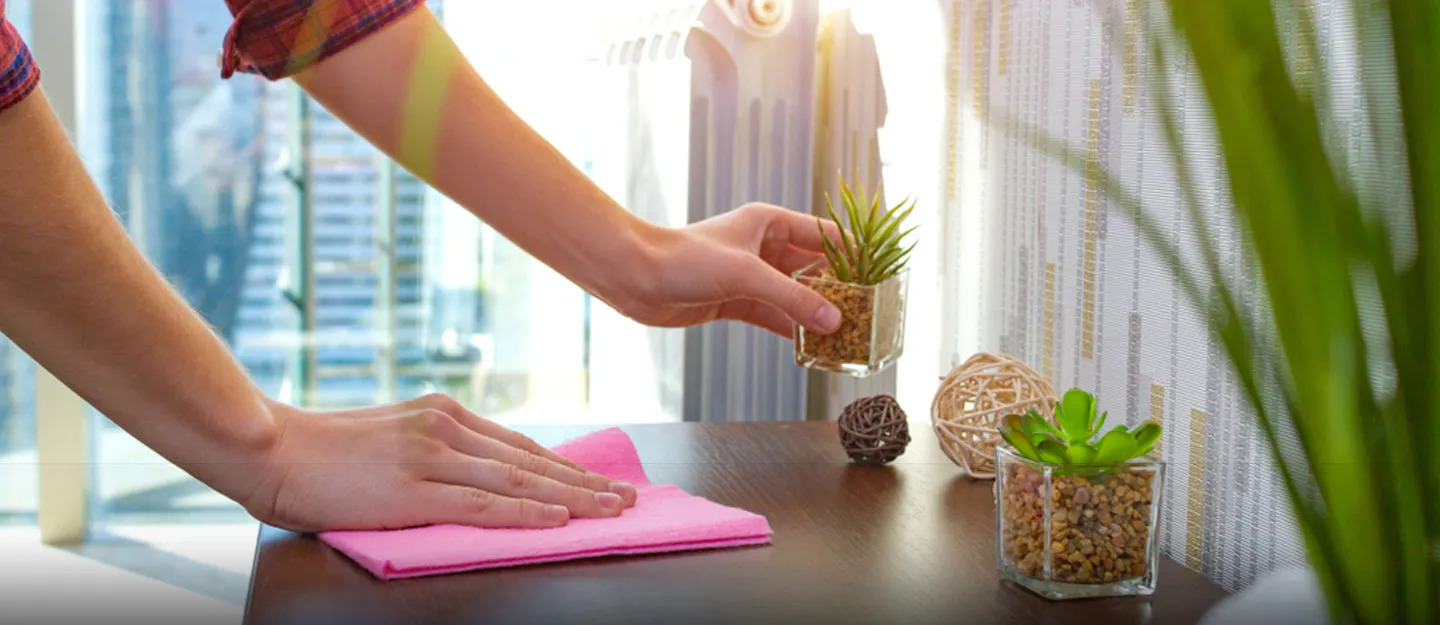
Between cleaning visits, start with surfaces everyone reaches for, such as the entry handle, kitchen faucet, and refrigerator pull. Follow your household’s usual route through the home and wipe away fingerprints, drips, or sticky spots where hands land. Then compare those touchpoints with your agreed cleaning scope. A standard visit has no universal checklist. A provider may list a room or task without naming every handle, switch, control, or device it covers.
When booking residential cleaning services in San Antonio, ask for the regular checklist and confirm any frequently used surface it leaves unclear.
1. Doorknobs, Levers, and Door Pulls
Start with the door your household uses most. If everyone comes in through the garage, its handle may need a wipe sooner than the front knob. Check both sides, because people may push a door open from one side and grip the lever from the other. The bathroom handle may also show more fingerprints than the knob on a spare bedroom.
When you review the checklist, ask whether the crew wipes interior handles and hardware that faces outdoors. If you mainly use a side entrance, identify the door and the side you want the crew to clean. A checklist entry for wiping doors may leave those details open. If your unit opens onto a shared hallway, ask about the hallway side of its handle.
2. Light Switches and Switch Plates
Check the switches people use as they come in, pass through a dark hallway, or enter the bathroom. Look at the toggle or rocker people press, then check the edges of the plate where fingers land. A switch in a rarely used guest room can wait if it shows little residue and your household hardly touches it.
If you wipe a switch or its plate, follow the fixture’s care instructions and keep moisture away from electrical openings. When the checklist mentions dusting, ask specifically whether the crew wipes switch plates and which parts of the switch assembly it can clean. Point out any busy locations the provider might overlook, such as a switch behind a frequently opened door. Where several controls sit on one plate, identify the one people use most, such as the dimmer by the front entrance.
3. Stair Handrails and Grab Points
Look where people first grip the rail or shift their hands. On a staircase with a landing, someone might hold the rail at the bottom, grab it again during the first turn, and release it near the top. Check those areas for visible marks before you decide whether the whole rail needs attention.
Use the care instructions for your rail’s finish when you wipe it. Painted wood, finished wood, and metal may each need different care. If the checklist says the crew cleans the stairs, confirm whether that includes wiping the handrail and any post your household grips at the turn. If you have stairs between floors and steps down to a laundry room, specify which set you mean when you flag a rail.
4. Cabinet Knobs and Drawer Pulls
In the kitchen, check the utensil drawer, the trash pullout, and the cabinet beneath the sink. In a shared bathroom, start with the drawer people open for toothpaste or other items they use before work or school. After cooking or getting ready, look for marks on the hardware and the strip directly around it, where fingertips may brush the cabinet front.
These requests cover different areas, so identify which ones you want the provider to quote or confirm.
● Wipe the knobs and pulls people grip.
● Wipe the cabinet or drawer faces around the hardware.
● Clean inside specific drawers after you empty them, if the provider offers that task.
Name the drawers and cabinets you use most if the pulls are your priority. If you notice a sticky spot where the handle meets the cabinet, mention whether you want the crew to wipe the surrounding finish as well.
5. Appliance Handles and Controls
During meal prep, people may open the refrigerator several times, grip the oven handle, and press the microwave buttons. After snacks, check the part of the fridge pull a child can reach or the bottom or side of the microwave door someone touches when it has no handle. Wipe visible smudges according to the appliance maker’s care instructions, especially on touch panels.
Clarify What Appliance Exteriors Include
If you see appliance exteriors on the checklist, ask whether the crew wipes handles and controls along with door fronts. Name the appliance and the contact point, such as the microwave keypad or the refrigerator drawer pull. If you also want the crew to clean inside an appliance, ask whether the provider treats that as a separate task and whether you need to empty it first.
6. Kitchen and Bathroom Faucet Handles
Start with the parts people move to turn the water on or adjust the temperature. A single kitchen lever may get fingerprints when someone switches water on during dinner prep, while a bathroom faucet may have separate hot and cold knobs. Check the side or underside people grip as well as the top where you can easily see marks. If the kitchen faucet has a pull-down sprayer, check the button someone presses to switch the spray pattern.
When you wipe the handles, follow the fixture maker’s directions for the finish. If the checklist lists sink cleaning, confirm whether it covers the basin, faucet body, and controls. Mention stubborn mineral buildup around a handle separately so the provider can tell you whether that work falls within the agreed scope.
7. Toilet Flush Handles and Buttons
Stand where someone normally flushes and look at the part their fingers touch. A side lever has a grip area near its end. With a top-mounted dual-flush control, household members may use either button or touch the rim between them. If you notice smudges, check the control itself and the nearby surface where fingers rest.
When you review bathroom tasks, ask whether the crew wipes the external flush control each time it cleans the toilet. Be specific if your bathrooms have different fixtures. You could identify a lever on the downstairs toilet and two buttons on the tank lid upstairs.
8. Kitchen Counters and Island Edges
Pay attention to the section where you chop ingredients, open grocery bags, or rest your hands while sitting at the island. A spill on the prep area or visible residue along the edge gives you a reason to wipe that spot between visits. After you put groceries away, look near the edge where someone may have pulled a bag closer.
Before the crew arrives, decide which counter areas you can make accessible. Confirm what the provider covers in each case.
● Clear dishes and food containers from the surface due for cleaning.
● Point out the section beside or behind an appliance and ask whether you need to move it.
● Identify the island edge or overhang people touch, and mention any finish that needs specific care.
9. Dining Table Edges and Chair Backs
When someone pulls out a chair, their hands often land on the top rail or the same spot on the backrest. Check that spot along with the seat edge children hold as they climb into place. After meals, homework, or crafts, look along the part of the tabletop where wrists rest or someone grips the edge while scooting a chair in.
Ask whether the dining table entry covers the tabletop and its edges. Check whether the provider lists chair frames and upholstered seats separately. If a fabric seat has a visible spot, ask whether the provider offers upholstery cleaning and what it needs to know about the material. Identify the table edge or chair backs that need wiping and share any care directions for the finish.
10. Shared Remotes, Keyboards, and Touchscreens
If several people use the same remote, check the buttons and sides they touch. On a shared keyboard, look at the keys people use most and the area where they rest their hands. For a shared tablet, check the part of the screen people tap and the edges they grip when passing it around.
Before adding electronics to a visit, confirm what the provider agrees to handle. Make each request specific.
● Identify whether you want the crew to wipe the remote’s casing and buttons.
● Specify which parts of the keyboard that need wiping, such as the keys or wrist rest.
● Say whether you mean the tablet screen, the protective case, or both.
When you clean any of these at home, follow the device maker’s instructions, including its directions on products and moisture.
Check Your List Before the Next Visit
Walk through the entry, kitchen, bathrooms, and shared rooms and note the places people touch most. Compare that short list with your cleaning checklist before the next appointment. Ask the provider to clarify any unclear item, then wipe the spots your household uses most when fingerprints, spills, or visible residue show up between visits.