How to Clean Shared Office Desks Without Disturbing Equipment
Master cleaning shared office desks without disturbing sensitive equipment. Maintain efficiency and privacy in dynamic workspaces.
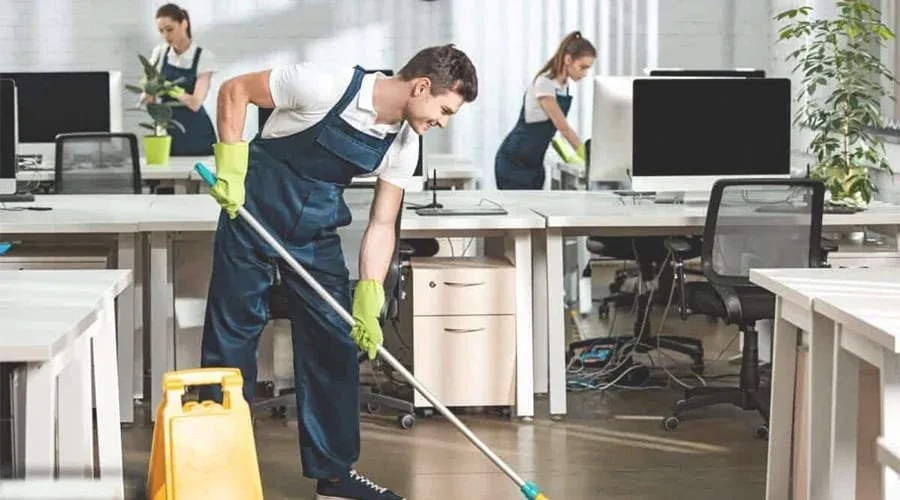
Cleaning shared desks requires careful attention to frequently touched surfaces without disturbing connected computers, cables, or personal materials. A desk may change users several times while monitors, docking stations, and keyboards remain in place. For offices arranging commercial cleaning in San Antonio, an effective routine separates ordinary surface wiping from equipment care, establishes clear responsibilities, and allows employees to work without unexpected interruptions.
Assess the Workstation Before Cleaning
Start by confirming whether someone is using the desk. Active calls, open applications, and connected accessories can make even minor movements disruptive. Check for drinks, loose cables, confidential papers, and areas that cleaners can reach without moving equipment. When access remains limited, clean exposed sections and report the rest for later attention.
Employees should clear cups, food wrappers, personal belongings, and sensitive paperwork before their scheduled cleaning window. Managers can establish a simple preparation rule, but cleaners should never assume permission to rearrange objects left behind.
A brief inspection should identify:
● Clear surfaces: Areas cleaners can wipe without shifting accessories.
● Electronic boundaries: Ports, power strips, docking stations, and connected devices.
● Access restrictions: Personal documents, occupied desks, or equipment requiring approval.
Choose Materials for Each Surface
A clean microfiber cloth often works well for ordinary desktop dust and fingerprints. However, furniture finishes, screen coatings, and electronic housings may require different care. Follow the relevant manufacturer's instructions for both the surface and the cleaning product.
Use controlled moisture when wiping suitable desk materials. Avoid saturated cloths, abrasive pads, and chemical mixtures. If the product requires protective equipment or ventilation, follow its label. Keep cleaning materials for restrooms and food areas separate from workstation cloths.
Managers should provide approved supplies rather than asking cleaners to select unfamiliar products at individual desks. Where equipment instructions remain unavailable, staff should leave sensitive surfaces untouched and request clarification.
Wipe Desktops Without Moving Computers
Begin with unobstructed desk edges, open work areas, and accessible counters. Lift crumbs gently with a dry cloth where appropriate, then wipe suitable surfaces using a lightly dampened cloth. Work outward from equipment instead of pushing moisture toward cables or openings. Allow the desktop to dry before employees place papers or devices against it.
Leave monitors, laptop stands, keyboards, and docking stations in their existing positions. Do not pull cables to reach dust behind them or shift connected equipment to clean underneath. Staff can schedule separate equipment access with an authorized employee when accumulated dirt needs attention.
For narrow gaps, use approved tools that reach exposed dust without pressing against ports. Never spray liquid directly onto computers, connectors, power strips, or electrical outlets. If a spill reaches powered equipment, stop cleaning that area, keep others away from the hazard, and follow workplace reporting procedures.
Handle Keyboards, Mice, and Screens Carefully
Shared input devices collect fingerprints and debris because multiple people handle the same small surfaces. Their openings and finishes also complicate cleaning, so ordinary desktop methods do not automatically apply.
Keyboards and Mice
Only personnel authorized under office policy should perform device cleaning. Follow manufacturer instructions on shutdown or disconnection; cleaners should not independently unplug devices, remove keys, or change settings. When permitted, wipe accessible key tops, mouse buttons, and exterior surfaces with suitable materials and minimal moisture. Avoid forcing liquid between keys or into scroll wheels and ports.
For stubborn debris, request an approved maintenance procedure rather than probing openings with improvised tools. Report damaged cords, sticking keys, or unusual device behavior to IT staff.
Monitors and Laptop Displays
Screen coatings may react poorly to household cleaners, rough cloths, or pressure. First check the device's care instructions. If authorized, use the recommended soft, lint-free cloth and cleaning method, keeping fluid away from edges and openings. Do not press on the panel, change the monitor angle, or close an active laptop to reach underneath.
If equipment instructions call for shutdown, an authorized employee should arrange it before cleaning begins. Leave unfamiliar screens alone until the office confirms an appropriate method.
Protect Cables, Accessories, and Private Information
Charging leads, headsets, external drives, and power supplies often occupy the space that needs wiping. Clean around them without tugging cables or disturbing connections. Never lift a power strip, disconnect an external drive, or move a docking station merely to reach hidden dust. A separate maintenance appointment can address inaccessible areas safely. For adjustable desks, avoid pressing movement controls during wiping. Unexpected changes in height can strain cables. Ask an authorized employee to reposition the desk before cleaning if access remains inadequate.
Confidential papers create a different boundary. Cleaning personnel should neither read documents nor inspect screens, open drawers, type on keyboards, or access applications. If paperwork blocks the desk, record the obstruction and ask the designated office contact to arrange clearance. Avoid placing cleaning cloths on notebooks, identification documents, or personal devices.
Clean High-Touch Areas Between Desk Users
A desk that changes occupants during a shift needs a clear handover routine. Focus on accessible desk edges, chair arms, shared controls, and approved keyboard or mouse exteriors. Staff can remove belongings and complete designated quick-clean tasks, while trained cleaners handle scheduled surface care.
Cleaning removes soil and ordinary surface contamination. Disinfection uses a suitable product according to its labeled directions, including surface compatibility and required contact time. Do not assume a disinfectant intended for furniture also suits a screen or keyboard. Products requiring prolonged wet contact may be unsuitable for some electronics.
Frequency depends on use rather than an arbitrary timetable. A workstation occupied by one person all day may need a different routine from a hot desk with several users. Increase attention after visible contamination or shared activities, and arrange safe procedures for spills before reuse.
Schedule Work Without Interrupting Employees
Coordinate daily desk wiping around breaks, shift changes, and meeting schedules. During working hours, cleaners can address accessible surfaces and urgent spills, but they should avoid active workstations unless employees agree. After-hours cleaning allows more uninterrupted access, although locked rooms and running equipment may still restrict tasks.
Set aside periodic sessions for difficult corners, accumulated dust, and approved equipment maintenance. Communicate these sessions beforehand so employees can clear desks and IT personnel can manage required shutdowns. In San Antonio offices, tracked-in dust may increase attention to open desk surfaces near busy entrances, but actual conditions should determine any additional work.
Check Results and Resolve Equipment Concerns
Supervisors can inspect visible dust, crumbs, smudges, and waste without touching connected devices. Use a checklist that defines approved surfaces, excluded equipment, cleaning frequency, and who authorizes special work. Record blocked areas, spill incidents, and employee concerns rather than quietly skipping tasks.
Review feedback with office administrators and IT coordinators. If staff report a moved monitor or disconnected accessory, investigate the cleaning boundary and update instructions. For recurring dust, reconsider desk preparation, cloth practices, or scheduling before introducing stronger chemicals.
Conclusion
Safe shared-desk cleaning begins with boundaries: employees clear personal materials, cleaners treat accessible surfaces, and authorized personnel manage electronic equipment. Suitable cloths, restrained moisture, device-specific instructions, and coordinated cleaning windows reduce unnecessary interference. Facility managers should document these responsibilities, check completed work, and refine the routine as desk usage changes. The practical rule is simple: clean what staff can safely reach, and arrange separate approval for everything connected or confidential.